Trade Plan - Node Management
Some of the settings are not available yet.
Written By Zac White
Last updated 2 months ago
Account and Signal nodes can be removed from the Trade Plan, or temporarily disconnected.
A single click on a node opens the settings panel, on the right. Changes made in the settings panel only apply to that Trade Plan. The settings are local, not global.
Signal Nodes
Double clicking on a node opens the Edit Signal modal (pop-up window).
Account Nodes
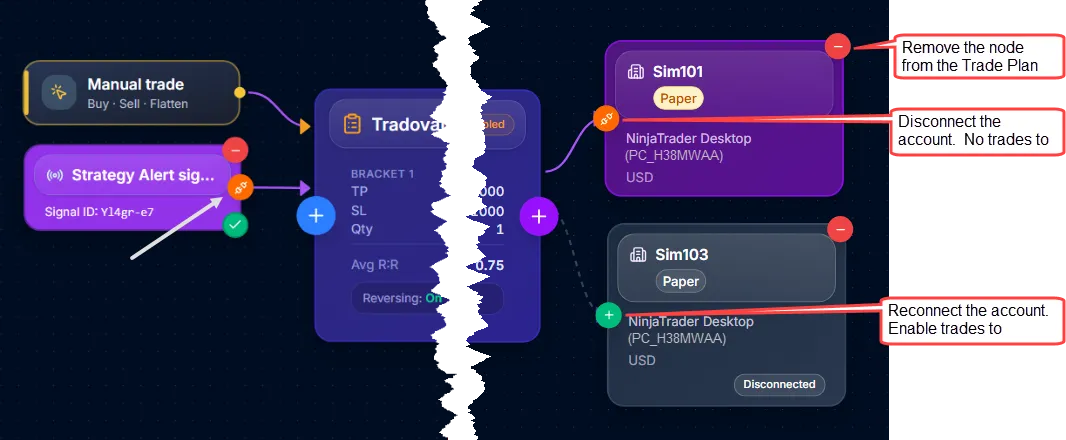
Red Minus button: Clicking on this button removes the account node from the Trade Plan, and the settings in the side panel are deleted.
Red/Green Connection button: This button toggles the connection on and off.
The red plug icon means the connection will be disabled/disconnected if clicked. When an account node is disconnected, the Trade Plan will not execute trades on that account. It does not disable trading on other Trade Plans. To disable trading on an account globally, go to the Brokers page.
The green icon means the disconnected node will be reconnected/enabled if clicked.
Was this helpful?
Still need help? Ask the team