How to Set Up Your Broker
Written By Zac White
Last updated 3 months ago
NinjaTrader Brokers
No set up is needed for NinjaTrader Desktop. The SharkSignals NT client will automatically transfer all accounts from NinjaTrader to SharkSignals. SharkSignals is currently unavailable for NinjaTrader Web.
Setup Process
If you already have the SharkSignals client installed, skip down to step 4.
Download the SharkIndicators installer from the Brokers page. Click on the ‘How to Connect’ button, then click the ‘Download Desktop Companion App’ button.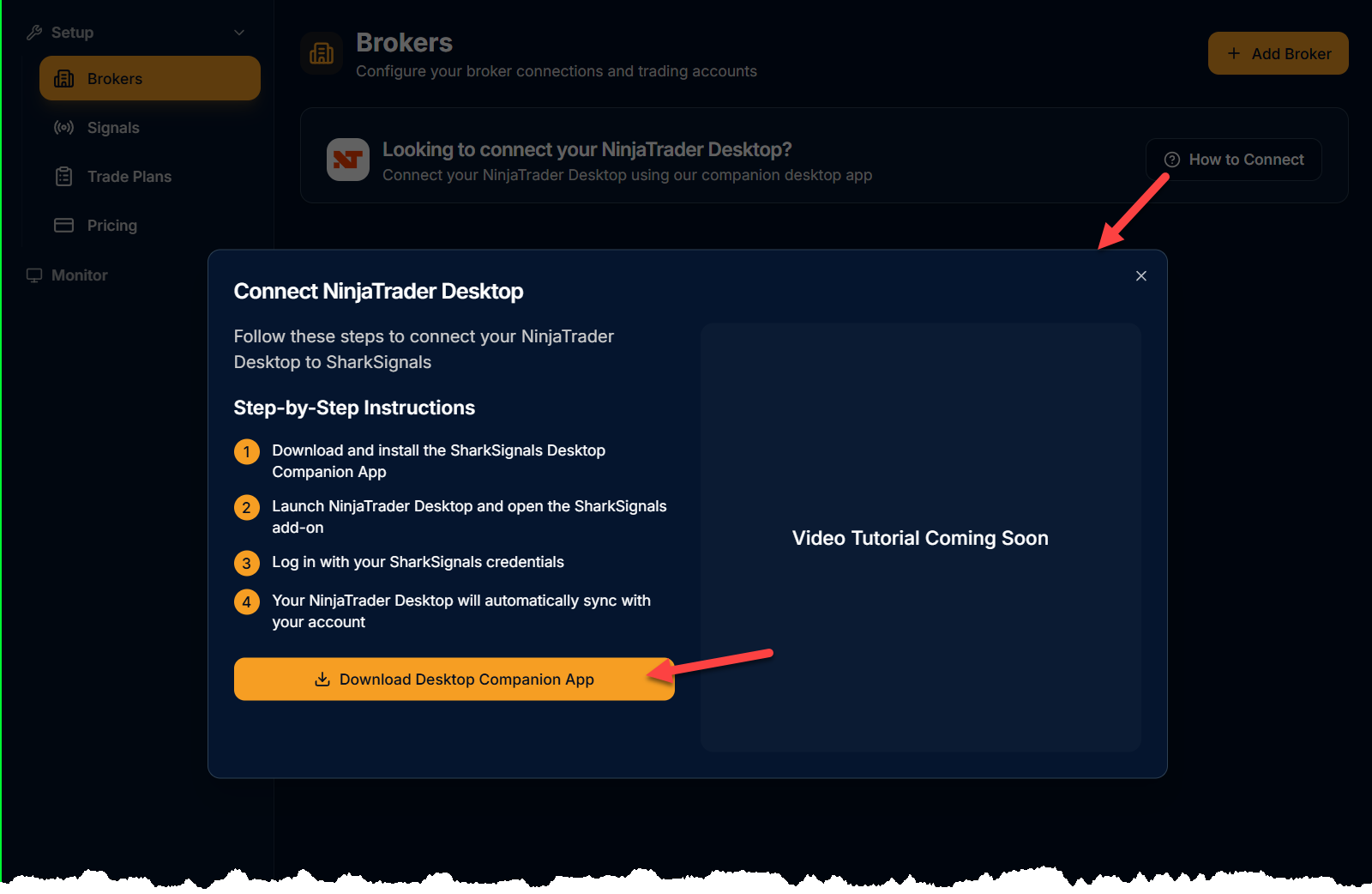
Or, download the SharkSignals/SharkIndicators Installer from here.Close the NinjaTrader program before running the Installer.
Once the installer has finished, open NinjaTrader.
❗ Important: When NinjaTrader is starting up, there will be a pop-up message. Click 'Yes to all' to load all components of SharkSignals and SharkIndicators software.
Open the SharkSignals client, and sign-in.
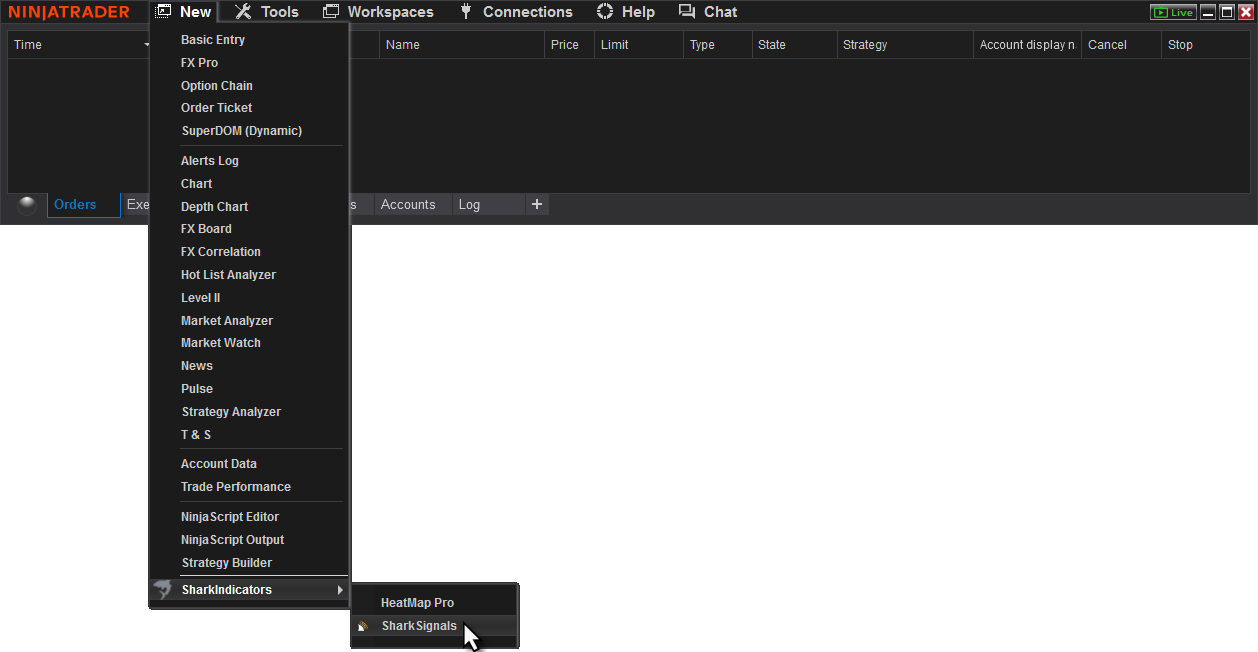
Go to NinjaTrader Control Center » New » SharkIndicators » SharkSignals.
Sign-in to the SharkSignals client.
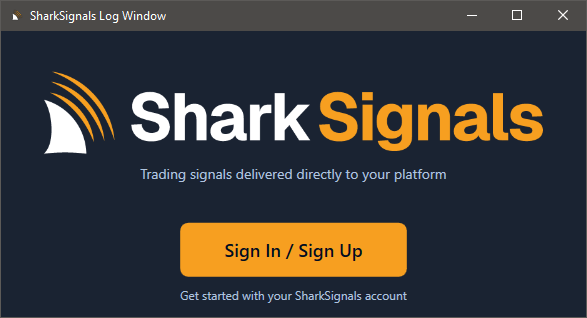
The sign-in process will open a web browser to complete the process. The browser page may be closed after the SharkSignals client has signed-in.Once signed-in, the SharkSignals client will transfer all accounts from NinjaTrader to SharkSignals.com. No manual intervention is needed.
The SharkSignals » Brokers page will populate with all accounts from NinjaTrader. Allow a few moments for account processing to complete.
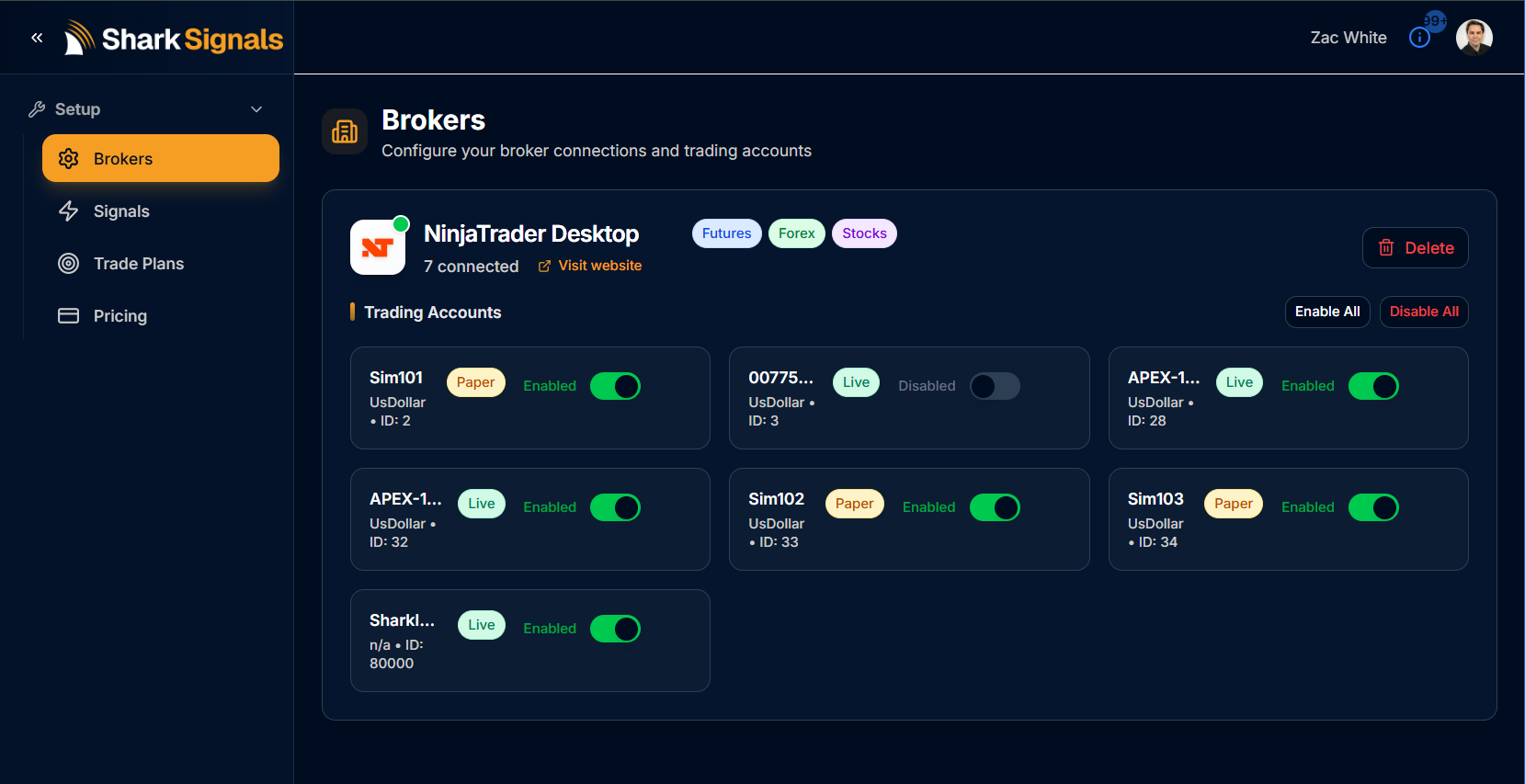
Finished. ✔
The next step is to set up a Signal.
BlackBird vs. Other Account Nodes
See article here.
Other Brokers
Additional Broker connections will be added in the future.
Was this helpful?
Still need help? Ask the team