How to Use the Manual Controls
The Manual Controls facilitates submitting a trade signal to a Trade Plan and the connected account node(s).
Written By Zac White
Last updated 5 months ago
Setting up the Manual Trade Controls
The set up is extremely easy. Fill in the four setting, then you are ready to trade.
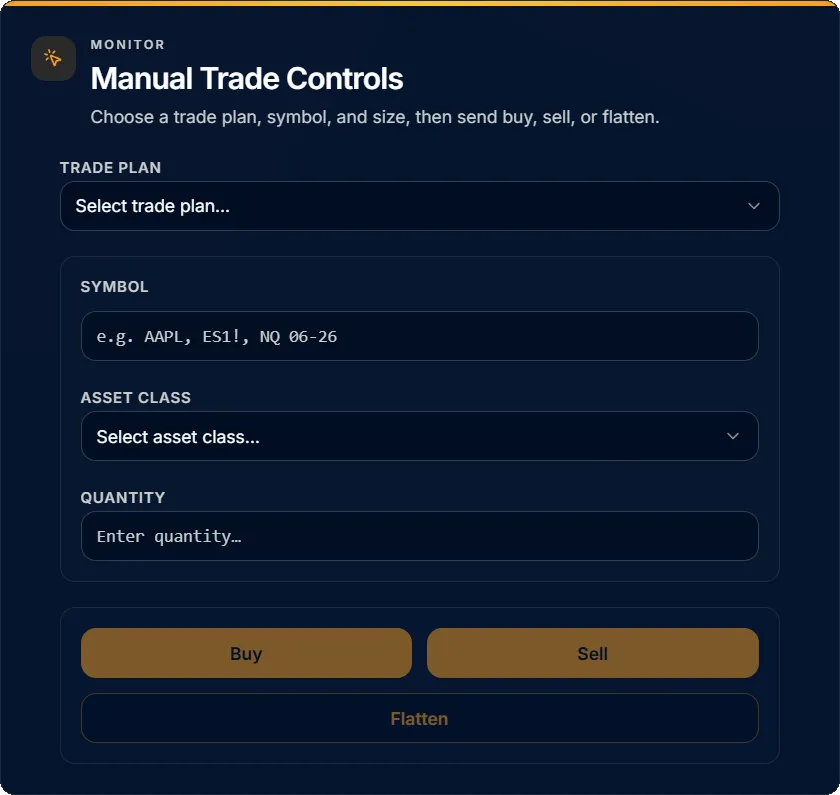
Starting at the top, select a Trade Plan. There must be an existing Trade Plan to use the Manual Trade Controls. The trade will be executed in accordance with the Trade Plan settings, and Account node overrides.
If you need to set up a Trade Plan, click here for instructions.Type a tradable symbol in to the Symbol field, and select the Asset class.
Specify a quantity.
Now the Buy, Sell, and Flatten buttons are ready for manual trading. The trade command will be submitted to the Trade Plan’s connected account node(s).
Was this helpful?
Still need help? Ask the team