Installing the SharkSignals Client
This provides the step by step process of installing the SharkSignals Client in to NinjaTrader.
Written By Zac White
Last updated 3 months ago
Installation Process
Download the SharkIndicators installer from the Brokers page.
Click on the ‘How to Connect’ button, then click the ‘Download Desktop Companion App’ button.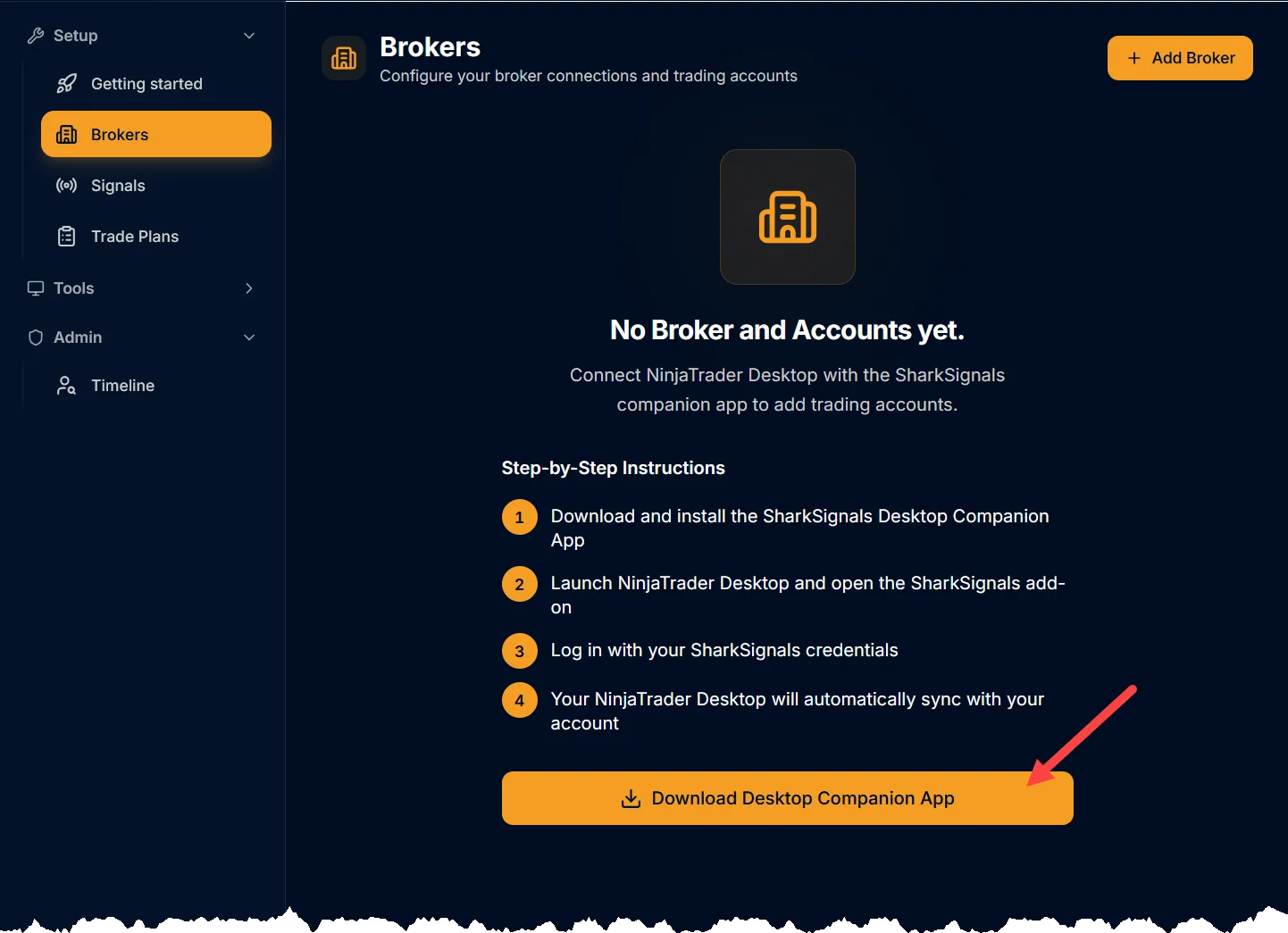
Or, download the SharkIndicators Installer from here.
Close the NinjaTrader Desktop program before running the Installer.
Run the Installer. Proceed through each step until the installation is complete.
After the Installer has finished, open NinjaTrader.
❗Important: When NinjaTrader is loading, there will be a pop-up message. Click 'Yes to all' to load all components of SharkSignals and SharkIndicators software.
Finished. ✔
The next step is the SharkSignals » Brokers page.
Was this helpful?
Still need help? Ask the team